How to split the partition where the OS is installed

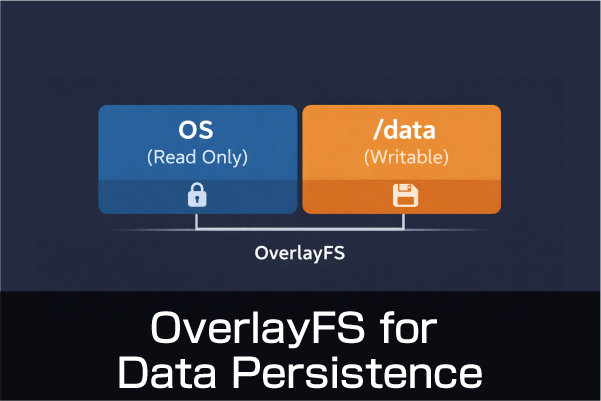
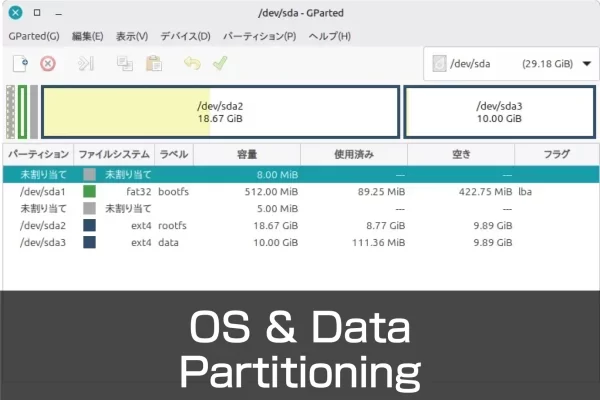
Partitions on external media can be modified while the system is running.However, the partition that the OS is currently running from cannot be modified directly.You must access it from another system. Here, the OS is written in Raspberry Pi Imager for use with Raspberry Pi devices such as Raspberry Pi 5 and CM5.The same partitioning procedure can be used for the Raspberry Pi OS as well as Ubuntu Desktop. Split into partitions Instead of partitioning from scratch, write the OS as usual with the Raspberry Pi Imager.Another partition is created after startup. Raspberry Pi OS Write Activate the written microSD card or other device as usual.Once activated on the Raspberry…

Shrink OS image files backed up only by Windows

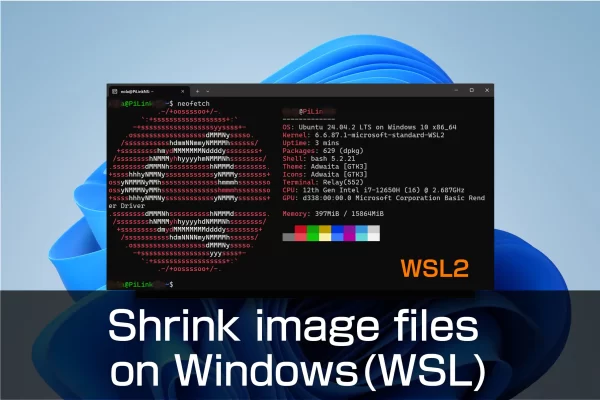
The PiShrink tool software allows you to reduce the size of the Raspberry Pi OS image file that you have backed up in its entirety beforehand. The reason why it is necessary to reduce the size of the image file is because the file size will inevitably become huge, making it difficult to save and handle. The backup image file for the Raspberry Pi Compute Module 4 that we have prepared is about 30 GB. Multiple backup files require even more storage space. Even if the files are stored in a different location, it will take a considerable amount of time to move or copy the files. If the file…

Introduction to Speech Recognition with Raspberry Pi +USB Microphone for Industrial Applications , Julius, VOSK

Speech recognition realized by connecting a microphone to a Raspberry Pi is effective for some applications and is not too expensive. If you only need speech recognition, which is different from spoken dialogue, you don’t need much machine specs. There are many speech recognition software, services, and libraries, both paid and free. We often see API services, especially from Google, Amazon, and IBM. Since we wanted to conduct this project in a local environment (offline), we considered “Julius,” which is highly efficient and versatile, and “VOSK,” which can be easily handled with a Python program. Both are free and easy to start. Since it is a local environment, there is…

Real-time visualization of field data, starting with Raspberry Pi and Grafana

It is easy to imagine the case for connecting sensors to the Raspberry Pi for industrial applications. In particular, they are widely used for temperature and humidity control. When “visualizing” the acquired data, graphs and numerical tables are effective, but displaying the data overlaid on a drawing is more intuitive. This time, we realized it with Grafana.The following image is an example using test data in the database, but in reality data from sensors can be updated and displayed in real time. With the increase in extreme weather in recent years, many industries are facing challenges in dealing with heat.In the logistics industry, such as warehouses and distribution centers, as…